HomeDestinationsContinentsCountriesBlog

Best 15 Travel Apps for Travelers (2026) – Planning & Navigation
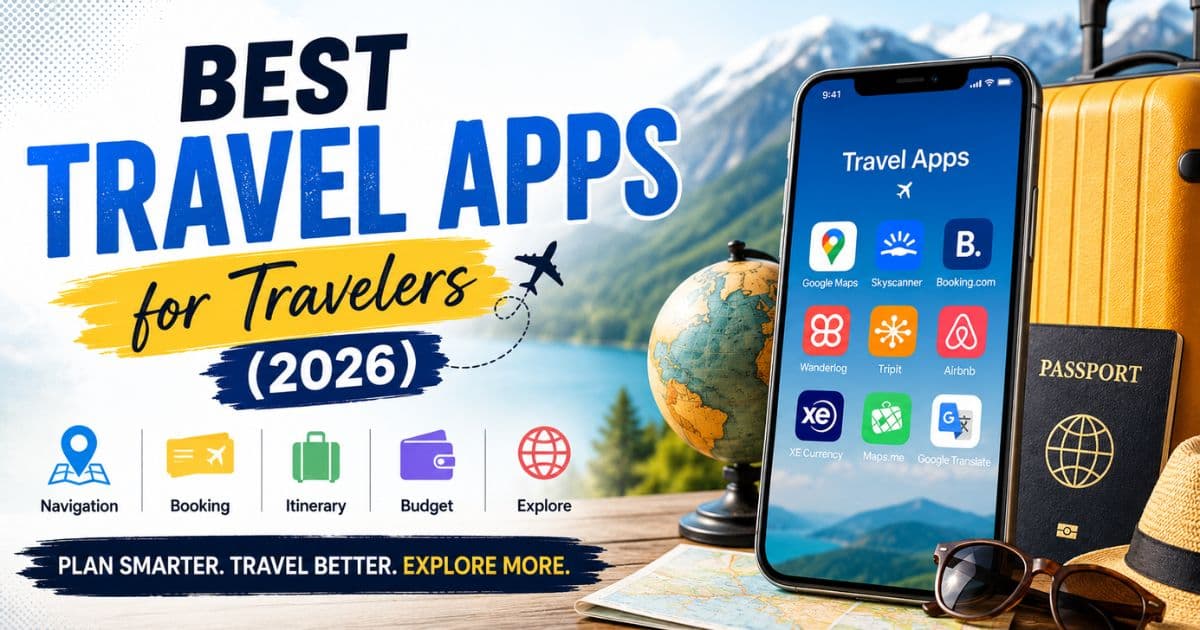
Best travel apps for travelers

The best travel apps for travelers in 2026 do far more than show you a map. They build your itinerary, track your flight in real time, convert currency at the live rate, translate menus in 30 languages, and save offline maps for when you land somewhere with no data signal. Getting the right apps installed before a trip is now part of the planning process, like booking flights and sorting your visa.

This guide covers 15 apps across planning, navigation, booking, road trips, and travel utilities. Each one is included because it does its specific job well, and because it's actually used by travelers rather than just recommended in theory. There's also a quick comparison table at the end to help you match apps to your travel style.

Why every traveler needs travel apps

A printed map and a guidebook work fine until you're standing at a bus stop in Istanbul at 11pm trying to figure out which tram gets you back to the hotel. Travel apps cover the practical gaps that trip planning misses.

Offline navigation is probably the biggest one. Data roaming abroad is expensive (or unavailable), and downloading Google Maps or Maps.me for your destination before you leave means you can navigate without any connection at all. Budget tracking apps catch overspending before it becomes a problem. Flight alert apps catch price drops. And an AI itinerary tool can restructure your whole day around a sudden museum closure in 30 seconds.

The apps below are split by function. Install the ones relevant to your trip type. A solo road trip through Europe needs different tools to a week at an Antalya resort with family.

Best AI travel planning apps

Wanderlog

Wanderlog is a trip planner that lets you build a day-by-day itinerary on a map, drag and reorder stops, collaborate with travel companions in real time, and import hotel and flight confirmations automatically. The map view showing your planned route visually is genuinely useful for spotting when you've scheduled a 3-hour detour into your day by mistake.

The free version covers most of what a solo or couple traveler needs. The paid plan (around $24 per year) adds unlimited trip storage, no ads, and AI-generated suggestions for restaurants and activities near your planned stops.

Good for: any trip where you're managing multiple cities or days. Road trips especially benefit from the route visualisation.

TripIt

TripIt works differently: you forward your booking confirmation emails to [email protected], and it automatically builds a master itinerary from them. Flight, hotel, car hire, restaurant reservations, all pulled into one clean timeline. No manual input required after the initial setup.

The free version is genuinely useful. TripIt Pro (around $49 per year) adds real-time flight alerts, seat tracking, and alternate flight suggestions if your flight gets cancelled. For frequent travelers or long multi-leg trips, Pro pays for itself quickly.

Good for: people who hate building itineraries manually. Especially useful when you have 8 different booking confirmation emails and want them in one place.

Layla AI

Layla AI is an AI travel assistant that generates destination recommendations, full itineraries, and hotel suggestions from a conversational prompt. Type "I have 5 days in Japan, I like food and historical sites, avoid tourist traps" and it produces a structured plan with specific places, estimated times, and booking links.

It's useful as a starting point rather than a finished plan. The suggestions are good but benefit from cross-checking against current traveler reviews on Google Maps or TripAdvisor before committing. Free to use for basic queries; a paid tier unlocks deeper itinerary detail.

Best navigation & map apps

Google Maps

Google Maps is still the most reliable navigation app for most destinations. The offline map download feature is the one most travelers underuse: before you fly, open Google Maps, search your destination city, tap Download, and you have full navigation without any data connection. Saved areas stay usable for 30 days and can be refreshed.

The public transport layers in Google Maps are accurate in Western Europe, North America, Japan, and Australia. In some parts of Southeast Asia and Africa, the transport data is patchier. The Street View function is useful for confirming you're at the right entrance to a hotel or attraction before walking through 3 wrong doors.

Always download offline maps before you travel. It takes 5 minutes at home and saves a significant amount of stress on the ground.

Citymapper

Citymapper covers urban public transport in about 100 cities worldwide with a level of detail that Google Maps doesn't match. It shows you which carriage to board to be closest to the exit at your destination, live disruption alerts, step-by-step walking directions between transport connections, and fare information in local currency.

It's available in London, Paris, Amsterdam, Brussels, Berlin, New York, Tokyo, Mumbai, Singapore, and many others. If your destination is covered, it's better than Google Maps for city transit navigation. Check city availability before relying on it.

Waze

Waze is a crowd-sourced traffic navigation app that shows real-time road incidents, speed cameras, police positions reported by other drivers, and route adjustments around accidents. It's primarily useful for road trips in countries where it has an active user base, which includes most of Western Europe, North America, and Australia.

For a UK to Europe self-drive trip, Waze on French motorways is noticeably better than Google Maps at routing around accidents and flagging toll booth locations. Works best when you have data; offline functionality is limited compared to Google Maps or Maps.me.

Best flight & hotel booking apps

Skyscanner

Skyscanner searches across airlines and online travel agents to find the cheapest available flights. The "Everywhere" destination search lets you type your departure city and "Everywhere" as a destination, and it returns a list of cheapest fares by country. Useful for flexible travelers choosing a destination partly based on price.

The price alert feature tracks a specific route and notifies you when the fare drops. Set one for your planned route 3 to 4 months before travel and you'll often catch a lower fare. The app itself is free; you book through the airline or OTA it links to.

Booking.com

Booking.com has the largest hotel inventory of any platform and allows free cancellation on most listings, which is useful when you're booking accommodation before a visa is confirmed. The app saves your payment details, past stays, and loyalty points (Genius tier), and has a 24-hour customer service function for booking issues.

The price display is honest: taxes and fees are shown before checkout rather than added as a surprise at the final screen. Guest review scores are aggregated from verified stays only, which makes the ratings more reliable than some platforms.

Airbnb

Airbnb works best for longer stays, groups, or destinations where hotel options are limited or expensive. An apartment with a kitchen is meaningfully cheaper than 7 nights of restaurant meals for a family. The filtering system lets you search specifically for properties with parking, washing machines, or specific bedroom counts.

Review reading matters more on Airbnb than on Booking.com. Check the most recent reviews and any mentions of cleanliness or communication issues. A host with 200 five-star reviews and 3 recent 3-star reviews is worth investigating before booking.

Best travel utility apps

PackPoint

PackPoint generates a customised packing list based on your destination, travel dates, planned activities, and weather forecast. Tell it you're going to Belgium in October for 5 days including 2 days outdoors, and it produces a list covering clothing, toiletries, documents, and activity-specific gear.

Free version covers basic trips. The paid version ($2.99 one-time purchase) adds activity-specific lists and integrates with TripIt. Useful for first-time international travelers who haven't yet built their own mental packing system.

Polarsteps

Polarsteps tracks your location automatically as you travel and builds a visual journal with maps, photos, and notes that updates in real time. Family and friends can follow your trip as it happens. At the end, you can export the whole journey as a printed photo book.

Battery usage is the main limitation; continuous GPS tracking drains the phone faster than normal. Keep it on low-frequency tracking mode for longer travel days. Free to use with an optional photo book purchase at the end.

XE Currency

XE Currency is the most accurate real-time exchange rate app available. It works offline using the last synced rates, covers every currency, and lets you set up a custom conversion list for the currencies you're actively using. The rate shown is the mid-market rate; your bank or card issuer will add a margin on top of this, but XE gives you the honest benchmark to compare against.

Free. No ads in the main function. The one app you should have running before every market visit or cash exchange.

Google Translate

Google Translate camera function is the genuinely useful part: point your phone at a restaurant menu, a street sign, or a product label and it overlays a translation in real time. Download the language pack for your destination before you travel and the camera translation works offline.

Audio translation (speak in English, it speaks back in the local language) works reasonably well for simple requests. For complex sentences or technical language, the translation quality drops. Good enough for travel purposes across most European and Asian languages.

Best apps for road trips & adventure travel

Roadtrippers

Roadtrippers is built specifically for road trips. You plot a start and end point, and it populates your route with suggested stops: national parks, roadside attractions, restaurants, campgrounds, viewpoints, and historical sites within a set distance of your planned road. The distance and time estimates update as you add stops.

The free version allows up to 7 trip waypoints. Roadtrippers Plus (around $29.99 per year) removes that limit and adds offline access. Primarily oriented toward North American road trips but covers Europe with reasonable depth.

Maps.me

Maps.me is the best offline map app for areas where Google Maps has limited data. It uses OpenStreetMap data, which in rural areas, mountain regions, and developing countries is often more detailed than Google's. Download a country or region map before travel and it works with zero data connection, including turn-by-turn navigation.

For hiking trails, mountain routes, and rural roads in countries like Nepal, Georgia, or Morocco, Maps.me has detail that Google Maps misses entirely. The interface is less polished than Google Maps but the offline reliability is better.

Komoot

Komoot is a route planning and navigation app for hiking and cycling. It gives difficulty ratings, surface type breakdowns, elevation profiles, and estimated completion times for outdoor routes. The community feature has user-uploaded photos and tips for specific trails.

A one-time region purchase (around €3.99 per region) gives you offline access to all trail data for that area. Recommended for anyone adding hiking to their trip. The Antalya region, the Taurus Mountains behind the city, and the coastal walking paths are all mapped in Komoot with user-uploaded condition reports.

For travelers planning multi-country Europe trips, our Europe Travel Guide covers visas, budgeting, and itinerary tips in detail.

Best offline travel apps

When your data roaming fails or you're somewhere without a local SIM, these are the apps that still work:

  • Google Maps (offline download): Full navigation for downloaded areas. Works without any data connection.
  • Maps.me: More comprehensive than Google Maps for rural and developing-country coverage. Download by country or region.
  • Google Translate (downloaded language packs): Camera translation and text translation for downloaded languages. No connection needed.
  • XE Currency (last synced rates): Shows the most recently downloaded exchange rates without a connection. Rates don't update offline but are useful for reference.
  • TripIt: Your itinerary is stored locally once synced. Flight times, hotel addresses, and booking references are accessible offline.
  • Komoot (purchased regions): Full offline trail navigation for purchased areas.

The general rule: anything you need to access in a foreign country should be downloaded or saved locally before you board the outbound flight.

Best free travel apps in 2026

Most of the apps above have a free tier that covers everyday travel needs:

  • Google Maps: fully free. Offline maps, navigation, public transport, all free.
  • Citymapper: free for all cities covered.
  • Google Translate: free. Language pack downloads are free.
  • XE Currency: free.
  • Skyscanner: free. Revenue comes from booking referrals.
  • Wanderlog: free tier covers most trip planning needs.
  • TripIt: free tier is useful; Pro adds real-time flight alerts for around $49/year.
  • Booking.com: free to use; prices shown are from hotels directly.

Apps where the paid upgrade is genuinely worth considering: TripIt Pro for frequent flyers, Roadtrippers Plus for road trip planning, and Komoot region purchases for hiking. Everything else on this list is useful without spending anything.

If you're planning a short coastal escape, this How to spend 3 days in Split Croatia includes beaches, Old Town attractions, and island hopping ideas.

How to choose the right travel apps

Solo travelers: Google Maps, TripIt, Skyscanner, XE Currency, Google Translate. That set covers navigation, itinerary, flight searching, money, and language. Under 10 minutes to set up.

Families: add Wanderlog for shared itinerary building, PackPoint for group packing lists, and Booking.com for filtering family rooms specifically. If Land of Legends or a theme park is on the agenda, check the park's own app for show schedules and queue times.

Road trips: Waze or Google Maps for navigation, Roadtrippers for route planning, Maps.me for areas with poor data coverage, and Komoot if hiking is part of the itinerary. For a **UK to Europe road trip**, Waze is particularly useful on French motorways for real-time toll and traffic alerts.

Budget travelers: Skyscanner's "Everywhere" search, Booking.com filtered by guest rating and price, XE Currency to track spending against the real exchange rate, and Google Maps for finding free walking routes and attractions.

Travel app safety & privacy tips

Public Wi-Fi in airports, hotels, and cafes is convenient but exposes your data to interception. Using a VPN before connecting to any public network protects your banking, email, and booking app logins. ExpressVPN and NordVPN are the most widely used travel options.

Back up your travel documents digitally before you leave. Scan your passport, visa, travel insurance policy, and hotel bookings. Store them in Google Drive or Dropbox (downloaded for offline access) rather than just in your email. If your phone is lost or stolen, you can access these from any device.

Be selective about app permissions. A currency converter doesn't need access to your contacts or camera. Review permissions when installing travel apps and revoke anything that doesn't match the app's stated function. This is particularly relevant for apps from smaller developers with limited review histories.

Comparison table: 15 best travel apps at a glance

App Category Free? Works offline? Best for
Wanderlog Trip planning Yes (free tier) Partial Multi-city itineraries
TripIt Itinerary management Yes (Pro: $49/yr) Yes Automatic booking organisation
Layla AI AI planning Yes (basic) No First-draft itinerary ideas
Google Maps Navigation Yes Yes (download required) General navigation worldwide
Citymapper City transit Yes Partial Urban public transport
Waze Road navigation Yes Limited Road trips, traffic avoidance
Skyscanner Flight search Yes No Cheap flight comparison
Booking.com Hotel booking Yes No Hotel bookings with free cancellation
Airbnb Alternative stays Yes No Apartments, groups, longer stays
PackPoint Packing Yes (Pro: $2.99) Yes Packing list generation
Polarsteps Travel journal Yes Partial Trip tracking and journaling
XE Currency Currency Yes Yes (last synced rates) Real-time exchange rates
Google Translate Language Yes Yes (download packs) Menu and sign translation
Maps.me Offline maps Yes Yes Rural areas, developing countries
Komoot Hiking/cycling Yes (regions: ~€3.99) Yes (purchased regions) Trail navigation and route planning

People also ask

What are the best travel apps in 2026?

Google Maps (navigation), TripIt (itinerary management), Skyscanner (flight search), Booking.com (hotels), and XE Currency (exchange rates) form the core set most travelers need. Wanderlog or Layla AI add trip planning on top of that base.

Which travel apps work offline?

Google Maps (with downloaded offline maps), Maps.me, Google Translate (with downloaded language packs), XE Currency (last synced rates), TripIt, and Komoot (with purchased regions) all work without a data connection. Download everything you need before you board.

What app is best for trip planning?

TripIt for organizing existing bookings automatically. Wanderlog for building a day-by-day visual itinerary. Layla AI for generating a starting itinerary from a prompt when you're not sure where to begin. The three work well in combination: Layla for ideas, Wanderlog for the plan, TripIt for the bookings.

Are travel apps free to use?

Most essential travel apps are free: Google Maps, Google Translate, XE Currency, Citymapper, Skyscanner, Booking.com, and Airbnb all work without paying anything. Paid upgrades exist for TripIt Pro, Wanderlog, Roadtrippers Plus, and Komoot regional maps, and they're worth it for the specific use cases described above.

Travelers visiting Turkey can also explore our Things to do in Antalya for beaches, local attractions, and family-friendly activities.

Recommended travel app setup before a trip

Two days before departure:

  • Download offline Google Maps for all cities and regions you'll visit.
  • Download Maps.me for any rural or developing-country sections of the trip.
  • Download Google Translate language packs for all countries on the itinerary.
  • Sync TripIt with all booking confirmations. Check the offline view loads correctly.
  • Open XE Currency and sync the latest rates.
  • Screenshot your hotel addresses, booking references, and emergency contacts. Save to your photo library and to a cloud drive that works offline.

If you're doing a **Europe self-drive itinerary** through multiple countries, also set up Waze with your first destination pre-loaded so it's ready when you drive off the Eurotunnel or ferry.

Conclusion

The 15 apps in this guide cover every practical need from before you book to the moment you land back home. Google Maps and TripIt handle the basics for most trips. Layer in Skyscanner for cheaper flights, XE Currency for honest exchange rate tracking, and Google Translate for daily language situations.

Road trippers add Waze and Roadtrippers. Hikers add Komoot. Families add Wanderlog for shared planning. None of these require significant spending, and collectively they cut out most of the friction that makes travel stressful.

Install the ones relevant to your next trip before you pack. You won't use all 15 on every journey, and you shouldn't try to.

Download your app stack before your next trip departs. The 10 minutes spent setting up offline maps, syncing TripIt, and downloading translate packs before you board is worth several hours of avoidable stress on the ground.

Frequently Asked Questions

Find answers to common questions

About the Author

Related Posts

Discover Goa's Secret Shores: Top 5 Hidden Beaches!

Discover Goa's Secret Shores: Top 5 Hidden Beaches!

Escape the crowds! Uncover Goa's best-kept secrets with our guide to 5 pristine,...

Travel Destination Comparison Guide: Budget, Experience & Tips

Travel Destination Comparison Guide: Budget, Experience & Tips

Compare top travel destinations like Bali, Maldives, Thailand & Dubai. Find the ...

Bali vs Philippines: Which Island Paradise Is Cheaper in 2026?

Bali vs Philippines: Which Island Paradise Is Cheaper in 2026?

Maldives vs Bali compare cost, beaches, culture & honeymoon value. Find out whic...